AI infographics for marketplaces: a WB and Ozon slide from your product photo
Upload a product photo and write what the slide should say. The neural network adds a headline, feature badges and icons — with readable text and in the proportions of your shot. No designer or graphic editor needed.
- 1.5 tokens per slide2.5 to 6 RUB depending on the pack, no subscription
- 30 tokens as a giftenough for 20 slides to try it out
- In the browser and on your phonenothing to install
How to get the gift: after signing up, open the Mobzio AI section and any three tools in it — 30 tokens are added to your balance automatically, once per account.
What you get: a product photo becomes a card slide
Left: the seller's original shot. Right: the result of one generation — the neural network styled the background and put four product features on callouts with icons. Click an image to enlarge it.

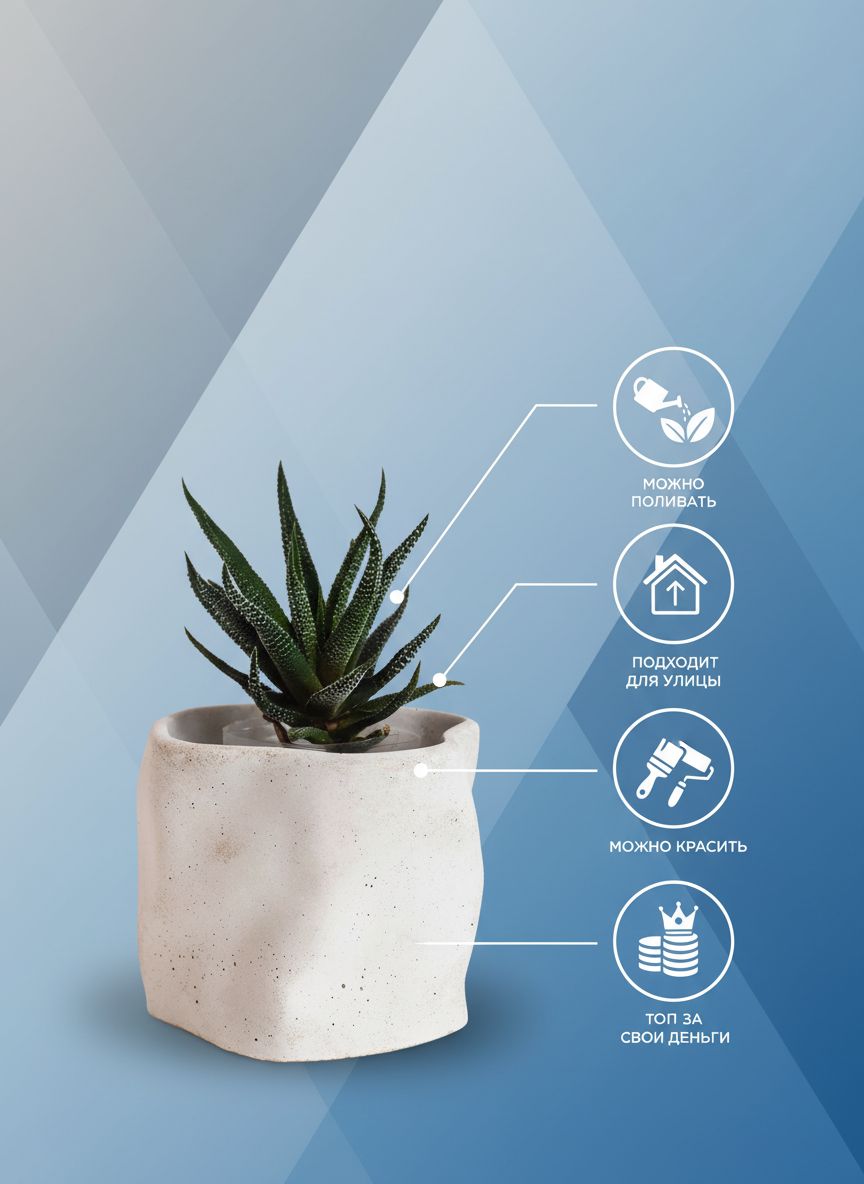
What the neural network adds to the slide
- A headline or product name — large enough to read on a phone
- Badges and callouts with specs: material, size, properties
- Icons for benefits — a drop, a shield, a check mark and other signs buyers know
- Background and accents in the style you need: minimal, bright, premium — described in words
More examples: clothing, cosmetics, electronics, home
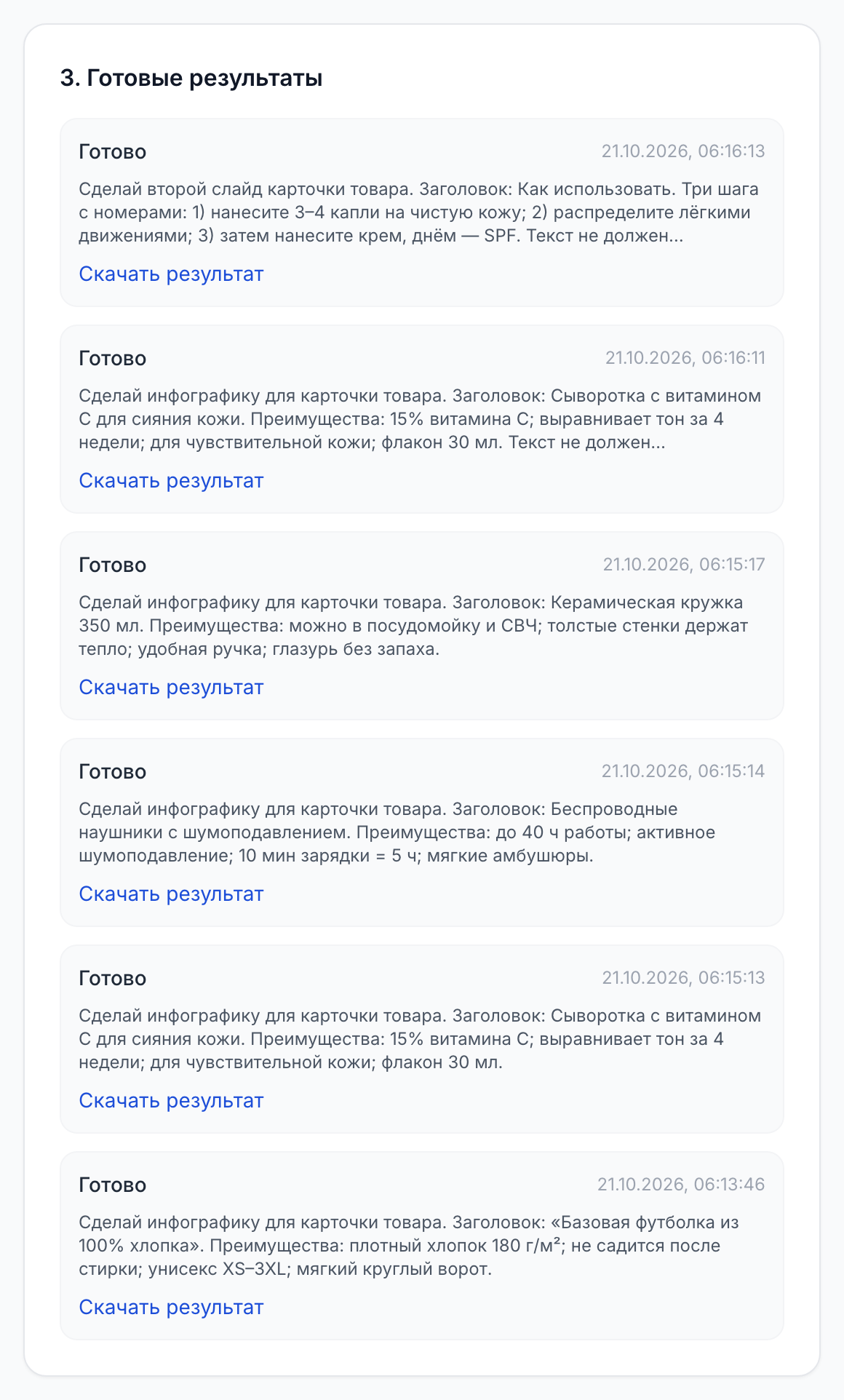
Real generations with no retouching — exactly as the “Download result” button returns them. Under each pair is the task the generation was run with.
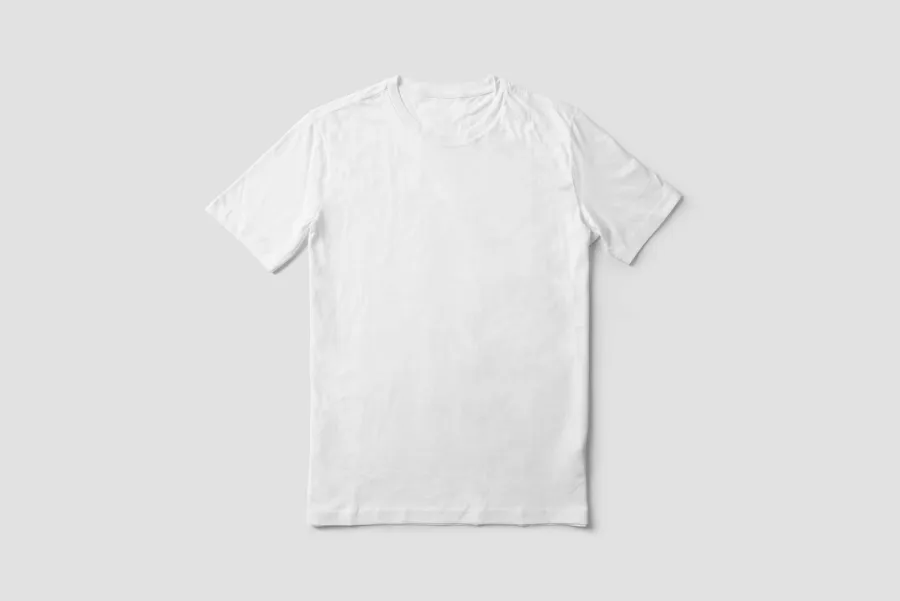
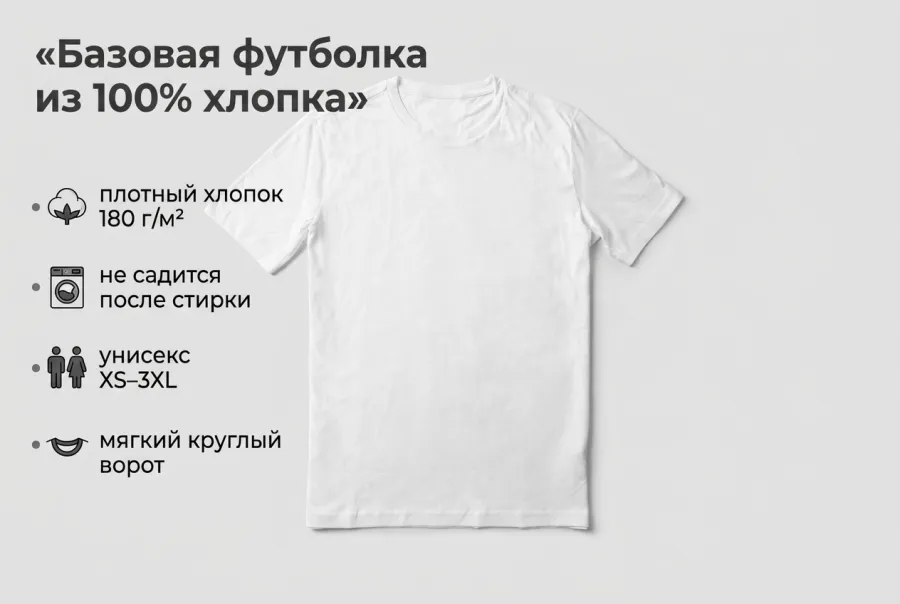
In the original task the headline was in quotation marks, and the neural network carried them onto the slide. Write the headline without quotes.





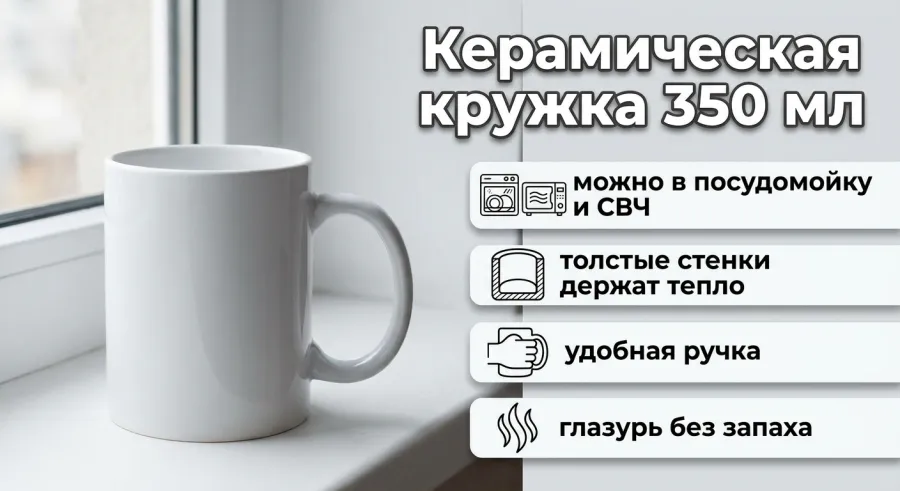
Swipe sideways to see all examples
Source photos for the examples — Unsplash: mockupbee, Avtar Singh, C D-X, Mediamodifier (Unsplash License).
How to make an infographic with a neural network: 4 steps
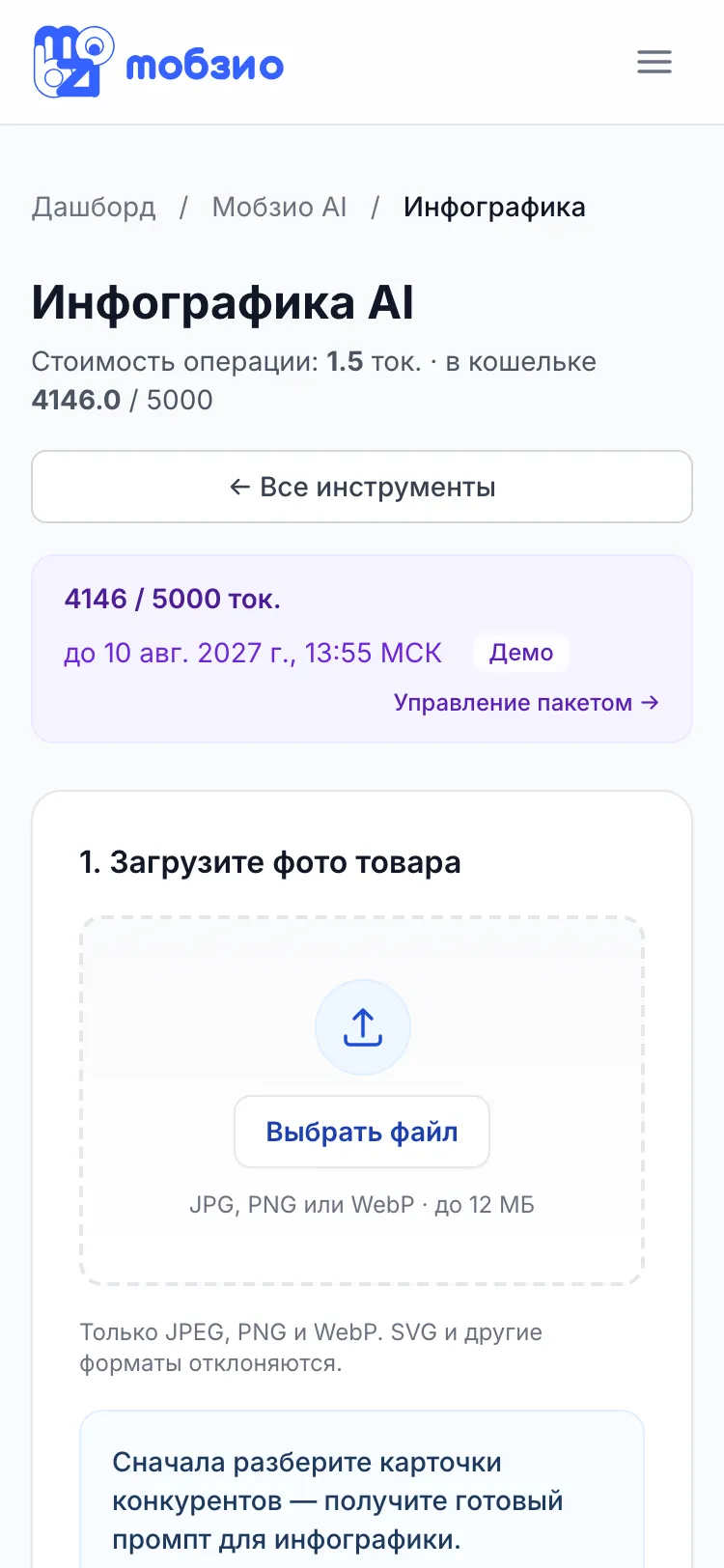
Everything happens in the Mobzio dashboard in your browser. One request — one finished slide.
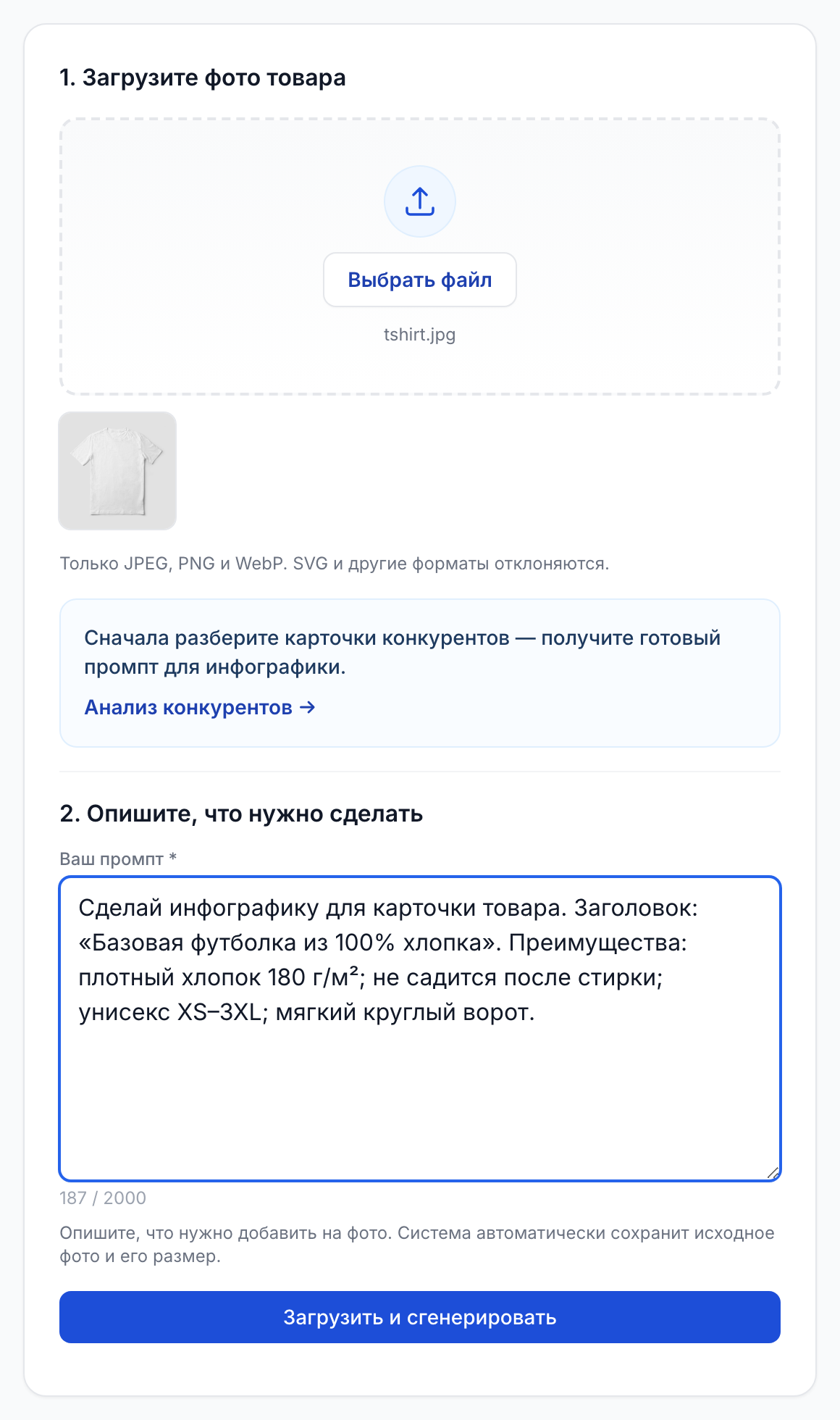
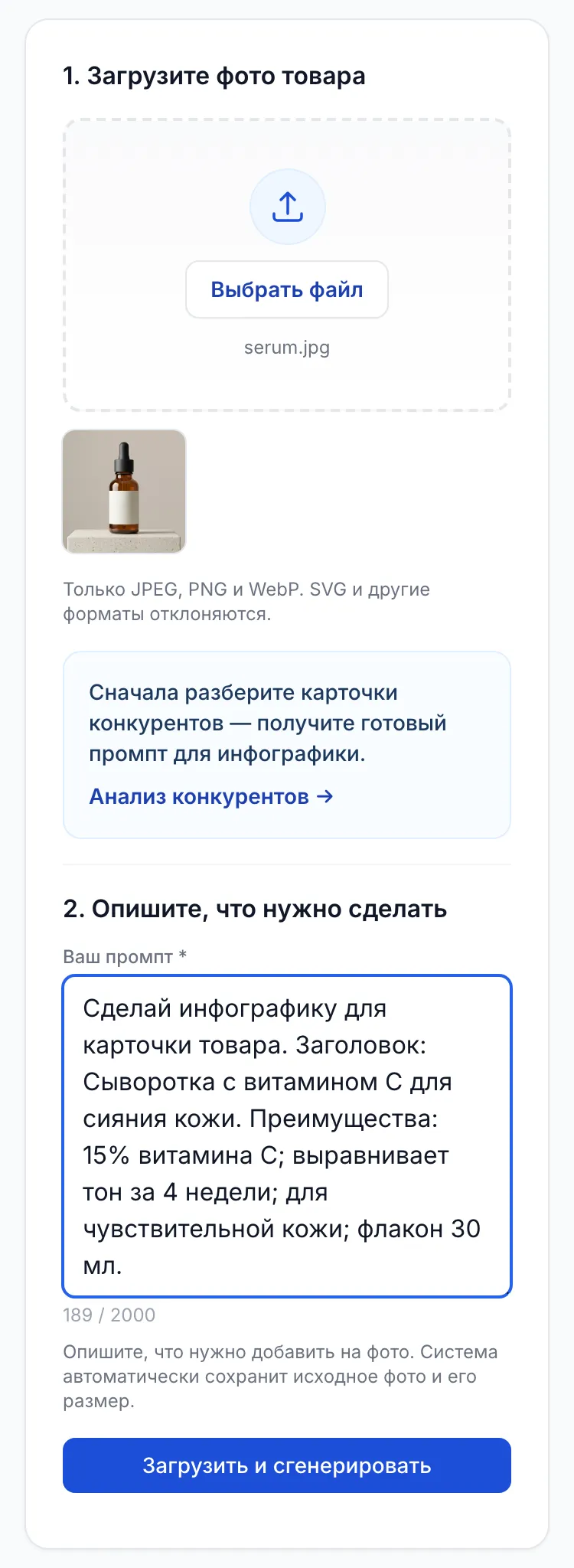
1Upload a photo
JPG, PNG or WebP up to 12 MB. The slide keeps the proportions of the original shot, so for Wildberries and Ozon use a vertical photo, for example 3:4.
2Describe the task
Up to 2,000 characters: name, 3–5 benefits, icons, style. For example: «Make an infographic, add the name CONCRETE PLANTER and features: can be watered, moisture protection, durable».
3Get the slide
The finished PNG appears in your generation history. The status updates by itself — no need to reload the page. Download the file and upload it to your product card.
4Check and refine
Compare the text and the product with the original. Not right? Refine the task and run it again. If a generation failed because of an error, the retry is free.
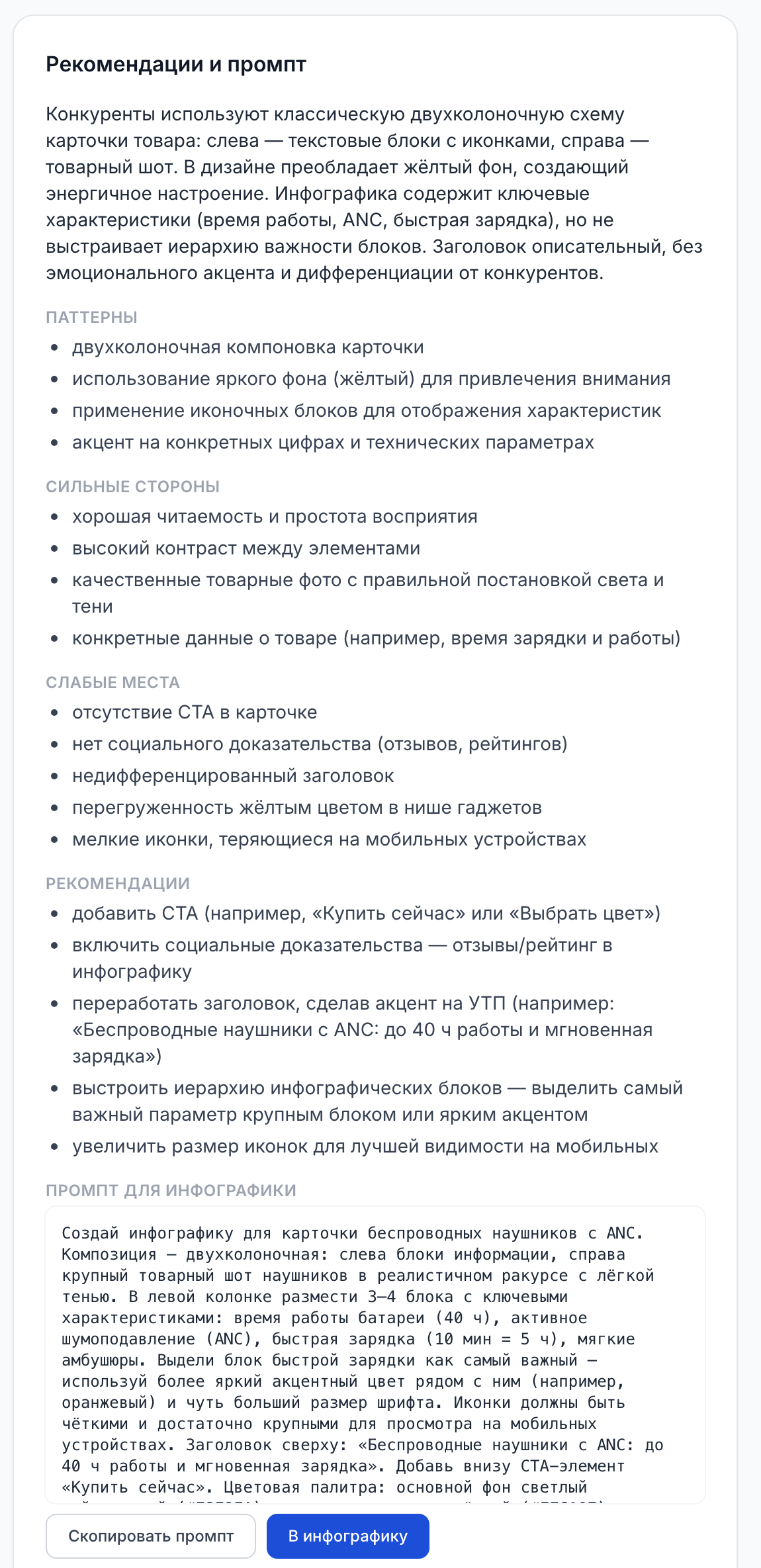
Not sure what to write in the task?
Start with competitor analysis: upload up to 5 cards from search results, and Mobzio AI returns recommendations and a ready prompt for the infographic. The prompt moves to the generator with one button. The analysis costs 1.5 tokens.
What the Mobzio infographic neural network can do
The tool is built for marketplace product cards, not for abstract pictures from text.
Readable text
The neural network is instructed to write clearly. The captions come from your task — you decide which words appear on the slide.
Your photo's proportions
The frame is not cropped to someone else's format: the slide comes out in the same proportions as the uploaded shot.
Style for your niche — in words
No templates or settings: write «minimal, light background» or «bright, for a kids category», and the design follows.
The whole slide set
Main slide, composition, dimensions, use cases: each generation gives one slide. A set of six slides costs 9 tokens.
From your phone, no app
The dashboard opens in a mobile browser and the photo uploads from your gallery. Nothing to install.
API for large catalogs
For agencies and teams with hundreds of products — infographic generation via the Mobzio AI API with an account key.
Good to know in advance
- This is generation, not layout from a template: the neural network can get a letter wrong or redraw a detail. Check every slide.
- The neural network does not know your certificates and does not check marketplace rules. The seller is responsible for the slide content and moderation.
- There is no layer editor: to change a caption, run a new generation with a corrected task.
How much an infographic costs and how to try it for free
You pay with tokens from the shared Mobzio AI balance — no subscription or monthly charges.
- 1 infographic slide — 1.5 tokens
- A set of 6 slides — 9 tokens: 15 to 36 RUB depending on the pack
- Packs start at 100 tokens for 400 RUB; tokens are valid for 12 months
- The same balance covers SEO texts, video covers, background removal and review replies
Free start: 30 tokens
After signing up, open the Mobzio AI section and any three tools — 30 tokens are added to your balance, enough for 20 slides. The gift is given once per account. If you have no pack yet, the gift tokens are valid for a month.
Sign up and tryMobzio AI token packs
One-time pack purchase. Tokens last 12 months. One balance for all AI tools on the account.
How many slides are in a pack
- 100 tokens for 400 RUB → 66 slides, about 6 RUB per slide
- 1,000 tokens for 3,500 RUB → 666 slides, about 5.3 RUB per slide
- 15,000 tokens for 25,000 RUB → 10,000 slides, 2.5 RUB per slide
A designer's price depends on the contractor and the volume — compare it with what you pay per slide now.
- No briefs and no waiting for a contractor's revisions
- One balance for infographics, SEO texts and video covers — the whole card from one pack
After signup open AI → Billing in the new cabinet.
Yourself, a designer or a neural network: which to choose
Each option has its job. A neural network does not replace a brand designer — it handles the flow of routine slides and quick tests.
| Criterion | Yourself in an editor | Designer | Mobzio AI |
|---|---|---|---|
| What you need | Learn an editor, find templates and icons | Brief, references, approvals | A product photo and a couple of lines of task |
| How long to wait | Depends on skill; the first slides take long | Depends on the contractor's workload, often days | Usually under a minute per slide |
| Cost | Free or an editor subscription, plus your time | Per slide or per pack, by agreement | 1.5 tokens per slide — 2.5 to 6 RUB |
| Revisions | On your own, as many as you like | Usually an agreed number of rounds | A new generation with a refined task |
| Best for | Few products and spare time | Brand identity, complex graphics | Many cards, testing variants, urgent tasks |
You can combine them: the key brand slide from a designer, the rest from generation.
Wildberries and Ozon infographic requirements in brief
Marketplace rules are similar. Check the slide against five points before uploading.
- Vertical format: the card is shown in portrait, so take a vertical source photo as well.
- No contacts or links: phone numbers, websites, QR codes, social media handles.
- No third-party brands, logos or watermarks you have no rights to.
- No superlatives or claims you cannot prove: they break marketplace rules and Russian advertising law.
- Large text: the caption must be readable on a phone screen right in search results.
Marketplaces change exact sizes, file weight and the number of photos — check them in the seller help center. What to put on each slide and detailed requirements are in our breakdown of slides and WB, Ozon and Market requirements.
How to make an infographic yourself, with a designer or a neural network, step by step — in the blog guide.
Who AI infographics are for
WB and Ozon sellers
Design new cards without a designer, refresh slides for the season and make several versions of the main slide to compare.
Agencies and marketplace managers
Run client cards on one token balance and send large catalogs to generation via the API.
Brands and manufacturers
Release slides for new items and collections quickly while the designer keeps the key brand layouts.
Questions about AI infographics for marketplaces
Build the whole card in Mobzio AI
An infographic is only part of the card. The rest is done in the same dashboard from the same balance.
Background removal
A clean PNG without background before the infographic — 0.3 tokens per photo.
Remove the backgroundSEO texts
Title, description and key phrases for the card from a product photo — 1 token.
Generate a descriptionVideo covers
A short video from a product photo for the main slide — from 15 tokens.
Make a video coverAll tools, token prices and packs are on the neural network for marketplace cards page.
Make your first infographic slide today
A product photo and a couple of lines of task — and a slide for your WB or Ozon card is ready. 30 tokens as a gift to start.
Sign-up takes a minute. 1 slide = 1.5 tokens, no subscription.